Most coffee subscription sites look finished from the outside. Bags, grind options, a subscribe button, a weekly cadence. Then someone hits skip for the third month in a row, the cart starts asking for grind and bag size on every renewal, and shipping costs eat the margin the subscription was supposed to protect.
We’ve rebuilt that stack more than once for roasters who already had a store. The rebuild is rarely about a prettier product page. It is about the mechanics that decide whether a subscriber stays: churn points, skip and pause, grind and bag choices at checkout, and the shipping cadence math that either works or quietly fails.
If you sell coffee on a cadence, this is the version of the work that lives behind the subscribe button. For the broader coffee commerce picture, our notes on websites built for coffee brands cover the storefront side; this piece stays inside the subscription engine.
What Was Breaking
The setups we walk into usually share the same shape. A WooCommerce store with a subscription plugin bolted on after the first bag started selling. One-time checkout works. Subscriptions kind of work. Then the exceptions pile up.
A subscriber wants to skip one delivery without canceling. The plugin supports skip, but the customer portal buries it under three menus, so they cancel instead. Someone wants ground for drip this month and whole bean next month. The product is a single SKU with attributes, so every renewal re-asks the same questions or locks them into the first choice forever. Shipping is a flat rate that made sense at two bags a month and stops making sense at four.
None of that shows up in a homepage screenshot. It shows up in support tickets, in cancel reasons that say “too hard to pause,” and in a churn curve that looks fine in month one and ugly in month four.
Roasters often arrive thinking they need a redesign. What they need is a map of the subscription lifecycle: signup choices, first shipment, renewal, skip, pause, swap, failed payment, and cancel. If any of those steps lives only in a staff person’s head, the site will keep losing people at that step.
Where Subscribers Leave
Churn on coffee subscriptions is rarely a single dramatic moment. People leave at predictable friction points.
The first is the “I have too much coffee” moment. Inventory at home builds up. A good skip or pause flow catches that. A cancel button that is easier to find than skip does not.
The second is a bad shipment: late, wrong grind, open bag, damaged. One bad box does more damage than three good ones repair, and if the only fix is an email to support with a three-day wait, a lot of people just stop the subscription.
The third is price shock on renewal. Shipping got recalculated. A discount expired. The plan they thought was locked was not. They open the portal, see a number they did not expect, and cancel before they ask a question.
Pricing models and churn levers deserve their own deep dive; we mapped the broader pattern in how profitable subscription programs handle pricing and churn. On a coffee site the same levers show up in smaller clothes: skip availability, pause length, and whether the next ship date is visible without hunting.
Skip, Pause, and Swap
These three features save more subscriptions than any loyalty email we have seen.
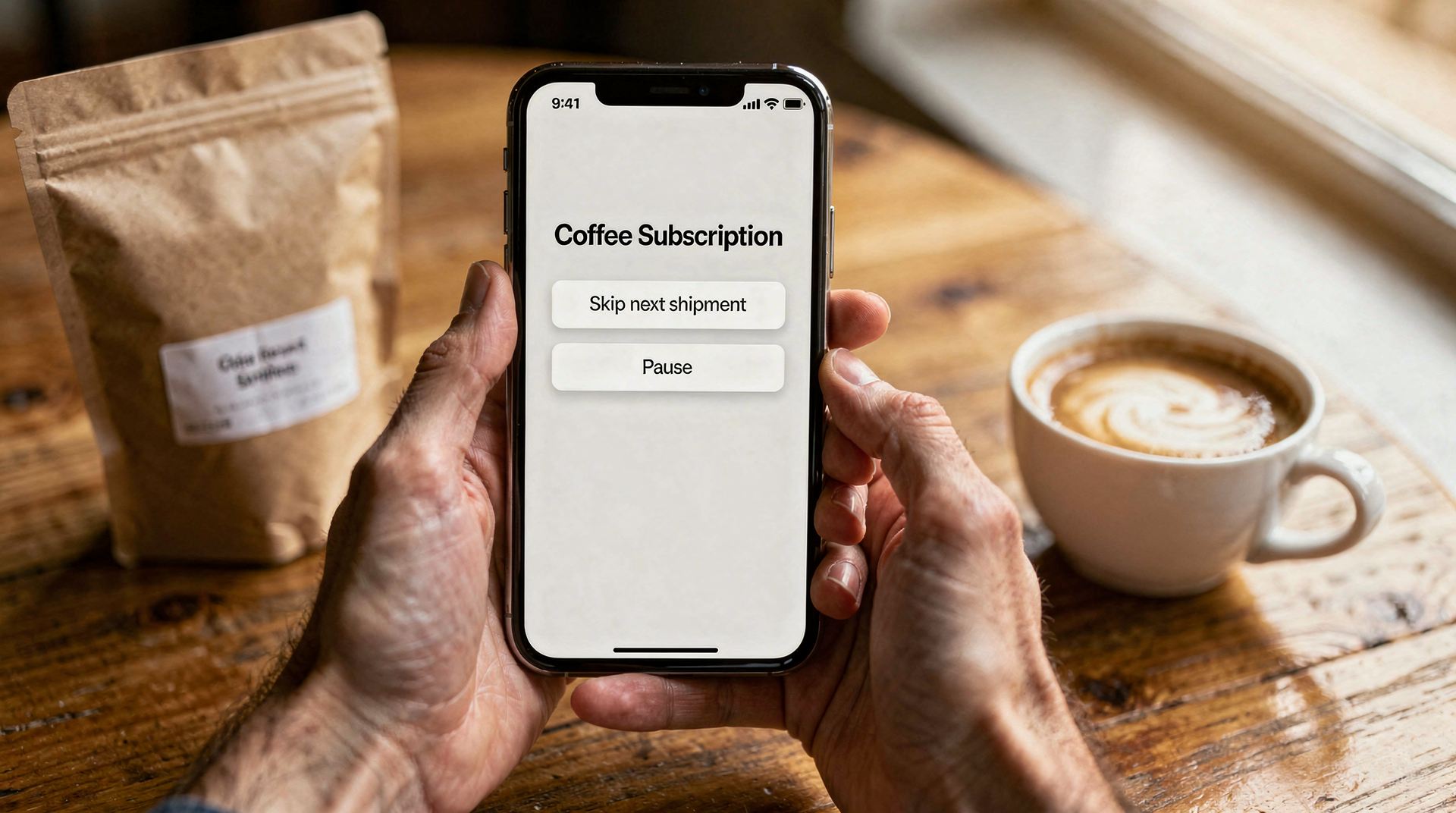
Skip should be one or two clicks from the account page, labeled in plain language, and limited in a way the customer understands before they click. “Skip next shipment” with the next date shown beats “manage schedule” that opens a calendar widget.
Pause is for longer gaps: travel, budget, a house already full of beans. A pause with a clear resume date keeps the relationship. An indefinite pause that never reminds anyone tends to become a soft cancel nobody tracks.
Swap is the unglamorous one. Let someone change roast, grind, or bag size for the next shipment without starting a new subscription. When swap is missing, people cancel and rebuy as a one-time order, which looks like churn in your numbers even when the customer still likes the coffee.
Build these into the customer portal first, not as a support script. Every time a subscriber has to ask your team to skip a box, you have already lost some of them.
One more detail that matters more than it sounds: confirmation. After a skip or pause, show the next ship date in the same screen, and send a short email that repeats it. People cancel when they are unsure whether the change took. A single clear date removes that doubt.
Grind, Bag Size, and Checkout Complexity
Coffee forces product choices that a t-shirt store never sees. Grind. Bag size. Sometimes roast level. Sometimes a preferred brew method that maps to grind.
Stack all of that on a subscription line item and checkout gets long. Leave it off and the warehouse guesses, which is how you ship whole bean to someone who only owns a drip machine.
The workable pattern we keep coming back to:
- Collect grind and bag size once at signup, store them on the subscription, and show them clearly on every upcoming shipment.
- Let the customer edit those choices for the next box without rebuilding the subscription.
- Keep one-time gift orders on a separate path so they do not inherit subscription defaults that make no sense for a gift.
Variable products with many attributes can work. So can separate simple products per bag size with grind as a required add-on. What fails is mixing both approaches on the same catalog until nobody on the team can explain which SKU a renewal will hit.
Test the renewal path with a real test subscription before you launch. Place the order, skip once, change grind, pause for two weeks, then resume. If any of those actions creates a duplicate subscription, a zero-dollar renewal, or a shipment with blank grind, fix that before you migrate live customers. The happy-path checkout demo is not enough.
If you are already deep in WooCommerce custom work, this sits in the same lane as our eCommerce development and management work: the catalog design and the subscription rules have to be one system, not two plugins arguing.
Shipping Cadence and the Cost Math
Weekly, every two weeks, monthly. Those three options sound like a preference question. They are a margin question.
Weekly shipping on a single bag often loses money once you add packing time and carrier minimums. Monthly on a large bag can feel like too much coffee and push people into skip loops. Every two weeks is the compromise a lot of roasters land on, then quietly adjust per region when rural shipping rates show up.
The site has to show the next ship date and the shipping cost implication before the customer commits. Surprising someone on renewal with a higher ship charge is a fast path to the cancel button we already talked about.
On the ops side, batch days matter. If Tuesday is roast-and-pack day, the subscription engine should align cutoffs to that day instead of letting renewals trickle in every hour. Aligning cadence to production is boring store configuration. Skipping it is how you get overnight labels for one bag at a time.
Failed payments belong in this section too. A card that expires should trigger a retry schedule and a plain email, not an immediate cancel. Coffee subscribers who travel or switch banks are common. Treat a failed payment as a recoverable event for a set window before you mark the subscription ended.
What Improved, and What Stayed Flat
After a rebuild, the changes we trust are operational, not vanity metrics.
Support tickets about “how do I skip?” drop when skip is visible. Cancel reasons shift away from “too hard to manage” and toward taste or budget, which you can work on. Warehouse mistakes on grind drop when the choice is stored on the subscription and printed on the pick list.
What often stays flat, and we say this on purpose: top-line subscriber count in the first month. A cleaner portal does not magically create new subscribers. It keeps the ones you already earned. Traffic and acquisition stay their own problem. Treating a subscription rebuild as a growth campaign sets the wrong expectation and leads people to rip out working mechanics when the chart does not spike in week two.
We do not invent percentage lifts for case studies when the brief does not supply them. If you need a number for a board deck, pull it from your own cancel reasons and ticket tags before and after the portal change. Those are the honest before-and-afters.
Same for average order value and subscriber lifetime. A rebuild can raise both when skip replaces cancel, but the lift depends on how broken the old portal was. Steal your own baseline from the month before the launch, then compare three months later. Anything shorter is mostly noise.
What We Would Build Differently Next Time
Start with the customer portal wireframes, not the product page. Decide skip, pause, swap, and edit-next-shipment before you argue about hero images.
Name one person who owns the subscription rules. When marketing, warehouse, and the developer each think a different plugin setting is source of truth, renewals drift.
Instrument cancel reasons from day one. Free-text “other” fields fill up with noise. A short fixed list (too much coffee, price, grind wrong, shipping, taste, moving) tells you which mechanic to fix next.
And budget time for the ugly middle: migrating existing subscribers onto the new rules without double-charging or skipping a box they already paid for. That migration weekend is where rebuilds succeed or create a support fire.
Recurring revenue only works when the product, the portal, and the pack line agree. If you want help pressure-testing your own coffee subscription stack before the next cancel spike, talk subscriptions with us.