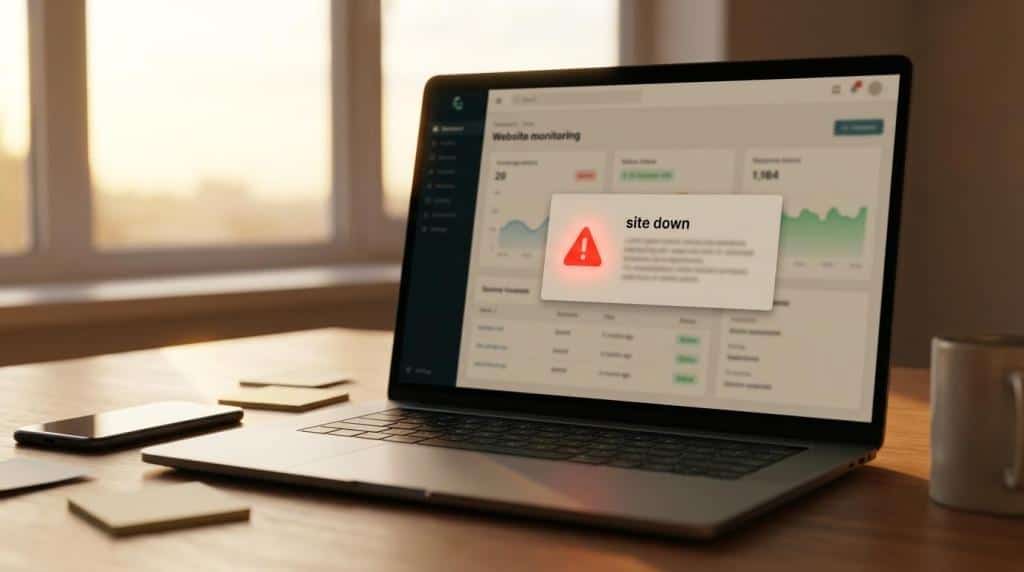
A website rarely stays “done” for very long.
Pages need updates. Plugins need patching. Forms decide to stop behaving right before a campaign launch. A donation page works perfectly for six months, then suddenly sends one very polite error message and one very unhappy email. That is where a website support retainer starts making a lot of sense.
Instead of treating web support like an emergency room visit, a retainer turns it into ongoing care. You are not scrambling to find help every time something breaks or every time your team needs a quick change. You already have a process, a partner, and a plan. For businesses, nonprofits, membership organizations, and course creators, that can mean fewer surprises and a lot less “who has the login?” energy.
What a website support retainer actually means
A website support retainer is an ongoing agreement for website maintenance, updates, troubleshooting, and improvement. It usually runs monthly, though some providers offer quarterly or annual terms. The core idea is simple: your site gets regular attention instead of occasional panic.
That regular attention can cover a lot of ground. On one end, it may include software updates, backups, uptime monitoring, and a few content edits. On the other, it can include performance tuning, technical SEO, eCommerce support, conversion improvements, and response workflows for urgent issues.
The biggest shift is not just what gets done. It is how the work gets handled. A retainer gives you a defined intake process, expected turnaround times, and some boundaries around what is included. That structure matters more than many teams realize.
Without it, website work often turns into this:
- Random requests in email threads
- Slack messages sent to three different people
- Surprise invoices
- “Can you just fix this one thing?” turning into seven things
With a retainer, expectations become clearer and budgeting gets easier. No one gets excited about that sentence, but finance teams do smile a little.
What services should be included in ongoing website support
Not every website support retainer looks the same, and that is a good thing. A small brochure site does not need the same level of care as a store with subscriptions, a membership platform, or a donor portal. Still, there are a few services that show up in strong support agreements again and again.
At a minimum, most retainers should include routine technical maintenance. That means WordPress core updates, plugin updates, theme updates, backups, and basic monitoring. Since plugins account for a large share of website vulnerabilities, steady patching is not “nice to have.” It is basic hygiene, like locking the front door.
There is also the practical side of support: text changes, image swaps, landing page edits, broken form fixes, and small layout adjustments. These requests are often what teams feel most day to day. A good retainer should make them easy to submit and easy to track.
Common website support retainer services often include:
- Core maintenance: CMS, plugin, and theme updates
- Backups: Daily or scheduled backup storage and restore access
- Monitoring: Uptime checks, alerts, and issue detection
- Security care: Malware scanning, access review, patching
- Content edits
- Form troubleshooting
- Speed optimization
- Technical SEO support
- Reporting and recommendations
If your website drives revenue, donations, registrations, or memberships, the list should go further. You may want cart and checkout testing, analytics support, recurring payment checks, CRM or LMS integration help, and a path for larger development requests when needed.
What website support response times should look like
This is where many retainers sound good on paper and then get fuzzy fast.
“Priority support” can mean almost anything if it is not paired with response expectations. A strong agreement should clearly separate routine requests from urgent issues. Those are not the same kind of work, and they should not be handled the same way.
Routine website support might include editing copy on a page, updating staff bios, swapping a hero image, or fixing a spacing issue. Emergency support means the site is down, the checkout is failing, the donation form is broken, or there is a security incident. If your provider treats those two buckets the same, that is a red flag.
Some agencies publish clear service targets. Wapiti Digital, for example, states that quick edit requests are generally completed within three business days and uses a structured request process tied to support agreements and approved overage hours. That kind of clarity is helpful because it tells clients what “normal” looks like before a request is ever submitted.
Here is a simple way to think about support expectations:
| Support area | What to expect | Why it matters |
|---|---|---|
| Routine requests | Business-hours handling and defined turnaround targets | Keeps small tasks from dragging on forever |
| Emergency issues | Clear escalation path and fast acknowledgment | Limits downtime and lost revenue |
| Monitoring | Ongoing automated checks | Finds problems before your team does |
| Overage work | Approval rules for extra hours | Prevents billing surprises |
| Reporting | Monthly or recurring summaries | Shows value beyond “nothing broke” |
If response times are vague, ask follow-up questions. “Fast” is not a service level. It is a mood.
How ongoing website support improves website security
Security is one of the clearest reasons to invest in ongoing support, even if it is not the flashiest. Nobody throws a party because the plugins got updated on time. Still, that quiet maintenance can prevent very loud problems later.
Many website issues start small. An outdated plugin. A weak admin password. A form tool that has not been reviewed in a year. A theme conflict that creates a weird error, which then creates a bigger issue when someone tries to patch it in a rush. Ongoing support reduces those gaps by keeping a regular eye on the site and handling fixes in a more controlled way.
A good support retainer should include a layered approach to website security, not just one tool and a hopeful attitude. Providers like Simsoft outline what that looks like in practice, with WordPress maintenance agreements (opens in a new tab) that bundle updates, security monitoring, backups, and incident response into a predictable cadence.
That usually means:
- Patch management: keeping software current
- Monitoring: flagging downtime, malware, or suspicious activity
- Backups: making recovery possible if something goes wrong
- Access control: reviewing who has admin access and why
- Recovery planning: knowing what happens after an incident
This matters because security is not only about prevention. It is also about recovery speed. If a site is compromised, the team should know what to do next, how recent the backups are, and who is responsible for cleanup and restoration. When that plan already exists, the stress level drops by about a thousand percent. That is not a scientific number, but it feels right.
How ongoing website support improves website performance
Website support is not only about avoiding disasters. It is also about keeping the site useful, fast, and ready to convert.
Performance tends to slip over time. New plugins get installed. Images get heavier. Old scripts linger. Tracking tools pile up. A page that loaded quickly at launch can become sluggish six months later, especially if multiple people are publishing content and making updates without a regular review process.
That is why the best support retainers include proactive performance work. Not necessarily a giant speed project every month, but steady maintenance that keeps the site from drifting in the wrong direction. This can include image compression, caching review, script cleanup, page testing, database optimization, and technical fixes tied to Core Web Vitals.
And speed is not only a technical metric. It affects bounce rates, form completion, store revenue, and search visibility. If your homepage takes ages to load, users do not admire its design from a distance. They leave.
What a good website support retainer looks like for different organizations
The right retainer depends on how your organization uses its website.
A local service business may mainly need reliable updates, backup coverage, and occasional landing page changes. A nonprofit may need donation form monitoring, campaign page support, and reporting around traffic and conversions. A membership organization may need recurring payment checks, user account troubleshooting, and help with restricted content. An educator selling courses may need LMS updates, checkout support, and launch-day availability.
That is why one-size-fits-all support plans can feel awkward. They may work for a simple site, but they often leave growing organizations either under-supported or paying for things they do not need.
A smart website support retainer should reflect things like:
- Site complexity: brochure site, store, membership platform, LMS, donor system
- Business goals: leads, online sales, recurring revenue, registrations, donations
- Internal team capacity: marketing team only, in-house developer, or no web team at all
- Risk tolerance: what happens if the site is down for a day
For many organizations, the sweet spot is a retainer that covers routine support and maintenance while leaving room for strategic improvements over time. That is especially useful when the website is expected to generate sales or recurring revenue, not just exist politely on the internet.
What to ask before signing a website support retainer
A support retainer is only helpful if the scope is clear. Before signing, it is worth slowing down and asking a few practical questions. Not glamorous questions. Useful ones.
Start with what is included each month. Does the retainer cover updates, backups, monitoring, security checks, and content edits? Are small design adjustments included? What counts as development work? What happens when the monthly time is used up?
Then ask how requests are handled. Is there a ticket system or request form? Are approvals required for overages? Can your team submit requests directly, or does everything need one point of contact? Good support usually comes with a tidy workflow, not a game of inbox hide-and-seek.
Questions worth asking a website support provider:
- What is included: maintenance, edits, troubleshooting, optimization, reporting
- What is excluded: redesigns, large development requests, third-party software costs
- How quickly do you respond: for routine requests and for emergencies
- How are overages handled: approval steps, hourly rates, and notification timing
- What gets reported: updates completed, uptime, issues resolved, and recommendations
You should also ask what happens during onboarding. A quality provider will usually review the current site, confirm access, check backups, identify urgent issues, and set up monitoring before regular support begins. If onboarding is skipped, the first month of support may feel like opening a storage closet and hoping nothing falls out.
What separates a strong retainer from a weak one
The strongest retainers are proactive, measurable, and easy to use.
They do not just wait for problems. They keep the site maintained, monitored, and reviewed. They define response times clearly. They make submitting requests simple. They provide enough reporting that clients can see the work being done, even in months when everything is calm.
Weak retainers tend to have the opposite traits. Vague language. No clear boundaries. No emergency definition. No reporting. No plan for overages. Lots of “just email us” energy, which sounds friendly until three requests disappear into the void.
A strong retainer feels less like buying hours and more like adding operational support to your team. That is the real value. Your website gets consistent care, your staff gets a clear process, and your business does not have to treat every website issue like a five-alarm fire.
And if your current support model mostly involves crossing fingers and refreshing the page, it may be time for an upgrade.